Import products from AliExpress
Before you import the product from AliExpress directly, please log in to your AliExpress account and link it.
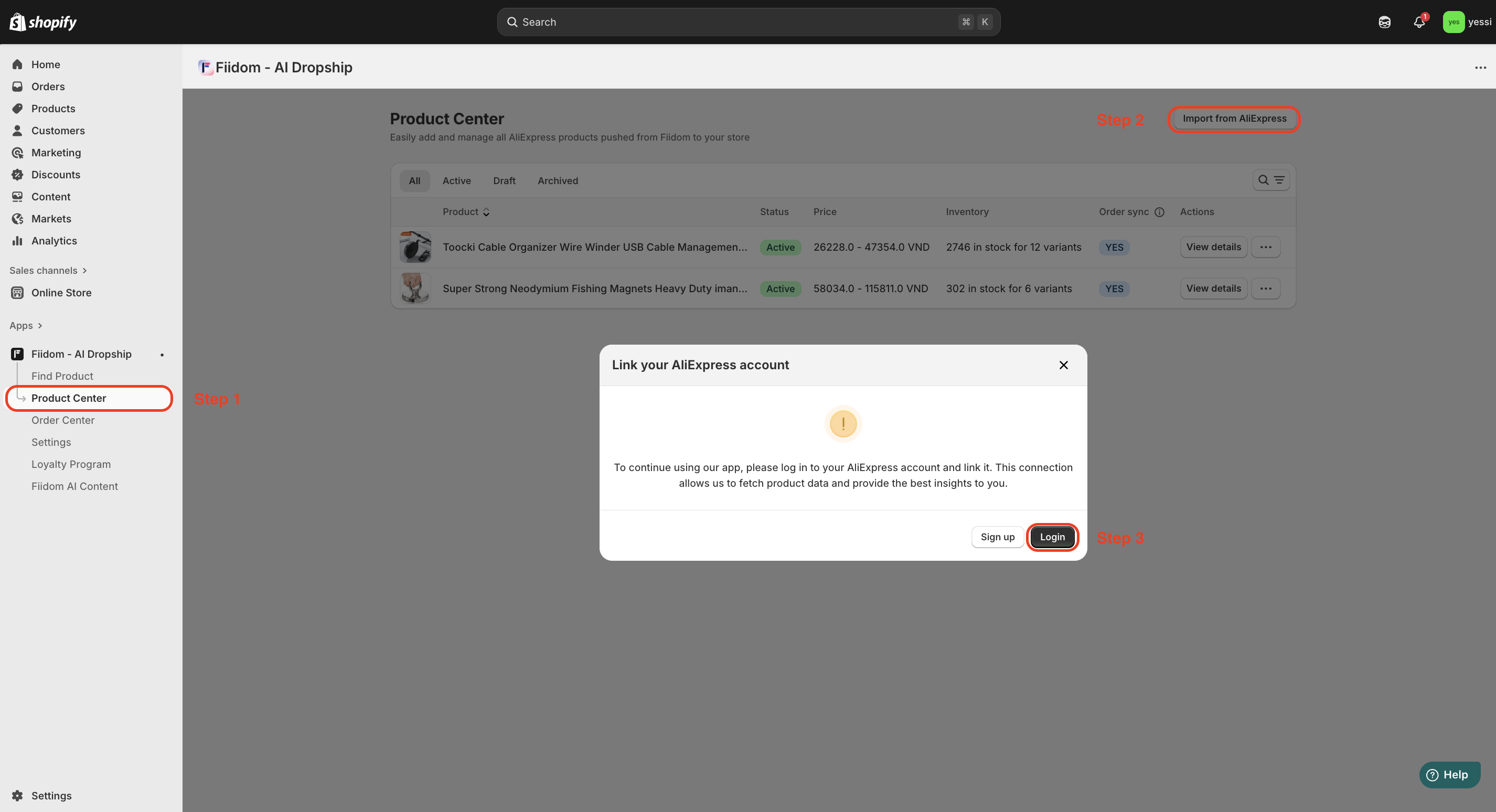
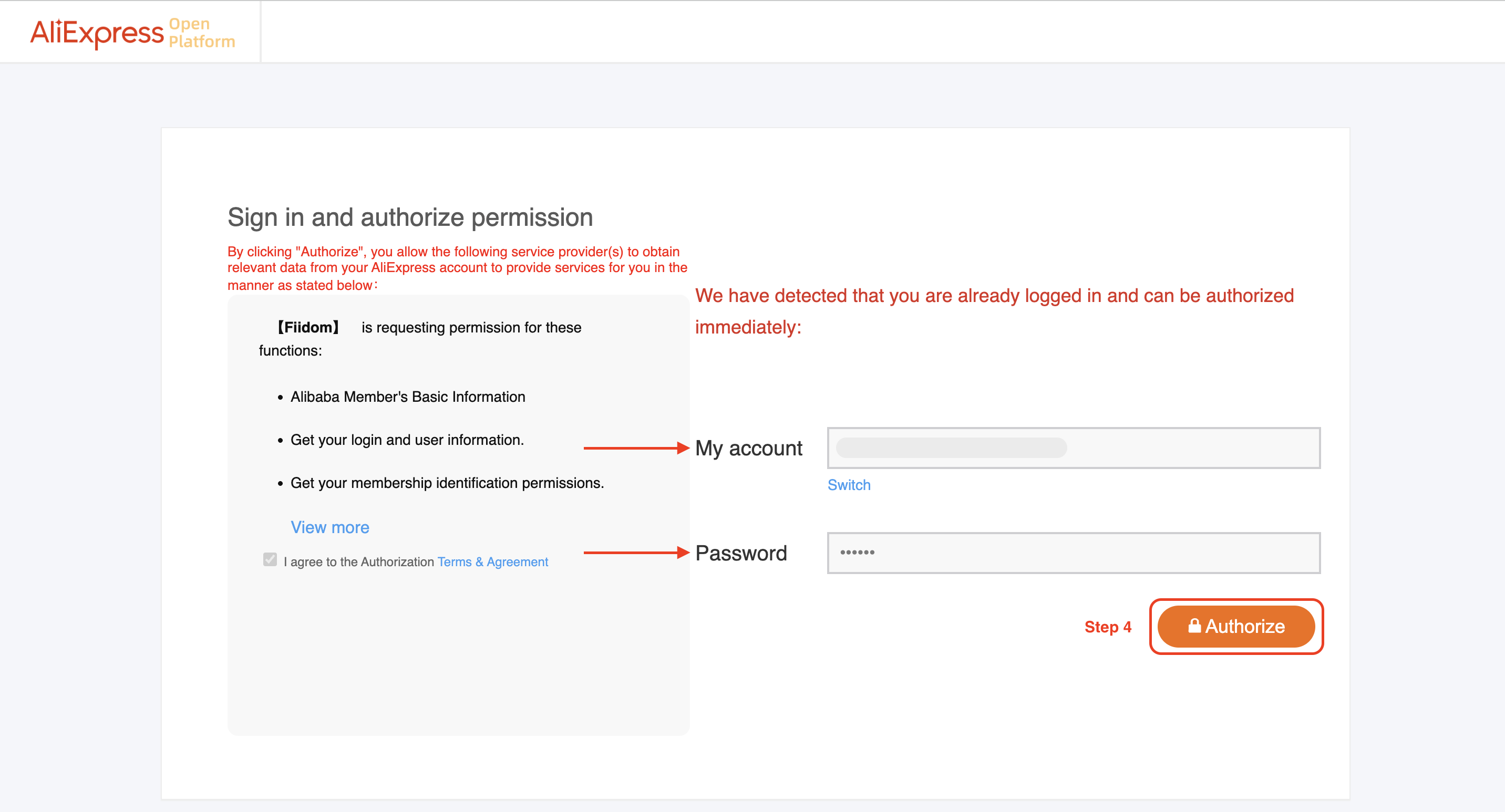
Once connected, you can start importing products.
How to import products from AliExpress
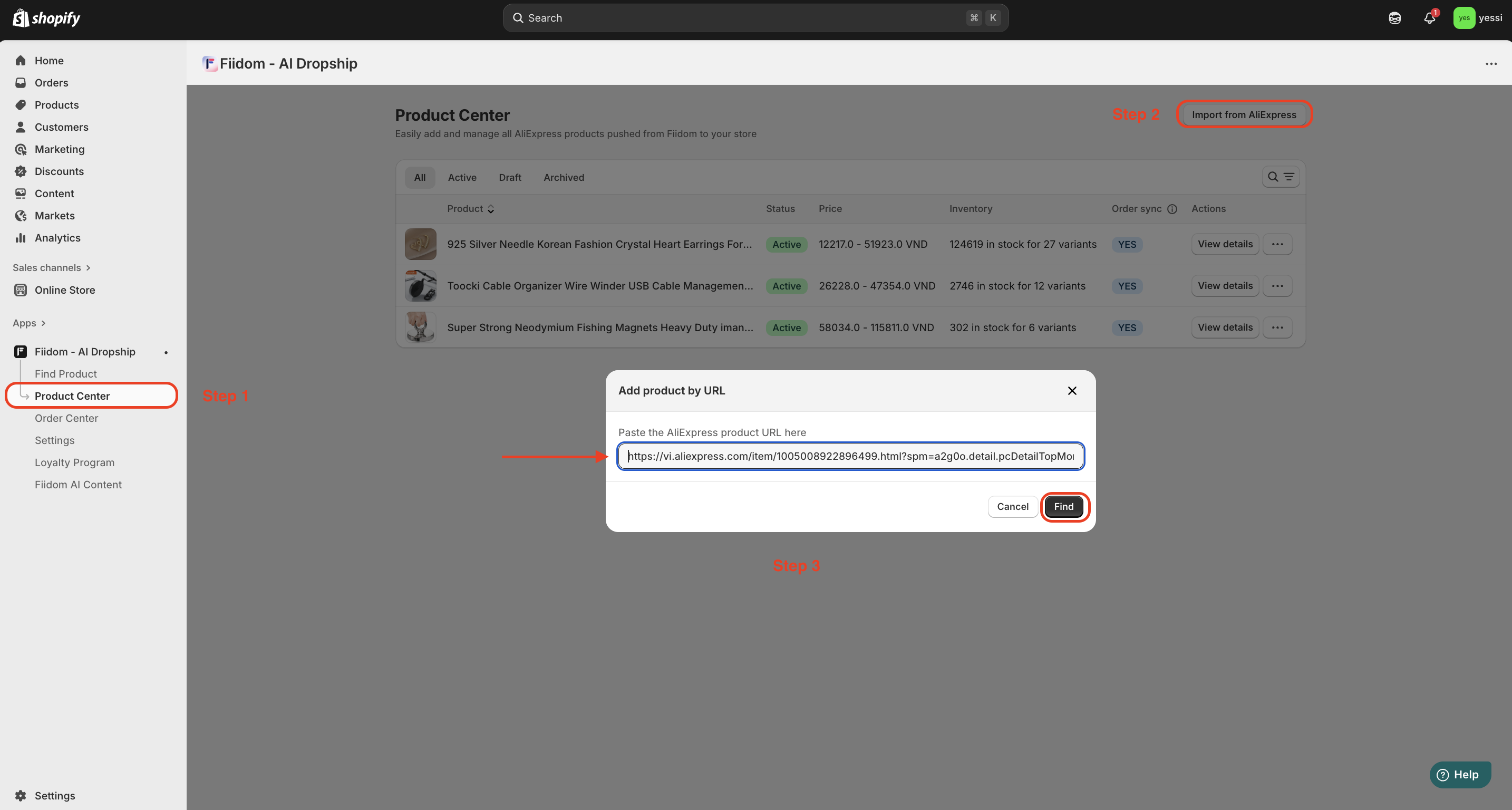
- Login to Fiidom > Product Center.
- Click Import from AliExpress in the top-right corner.
- In the Pop-up under Add product by URL, paste the AliExpress product URL > click Find.
- In the Pop-up, under Review product, select the product status, pricing setup & product content to which you want > Click Add product.
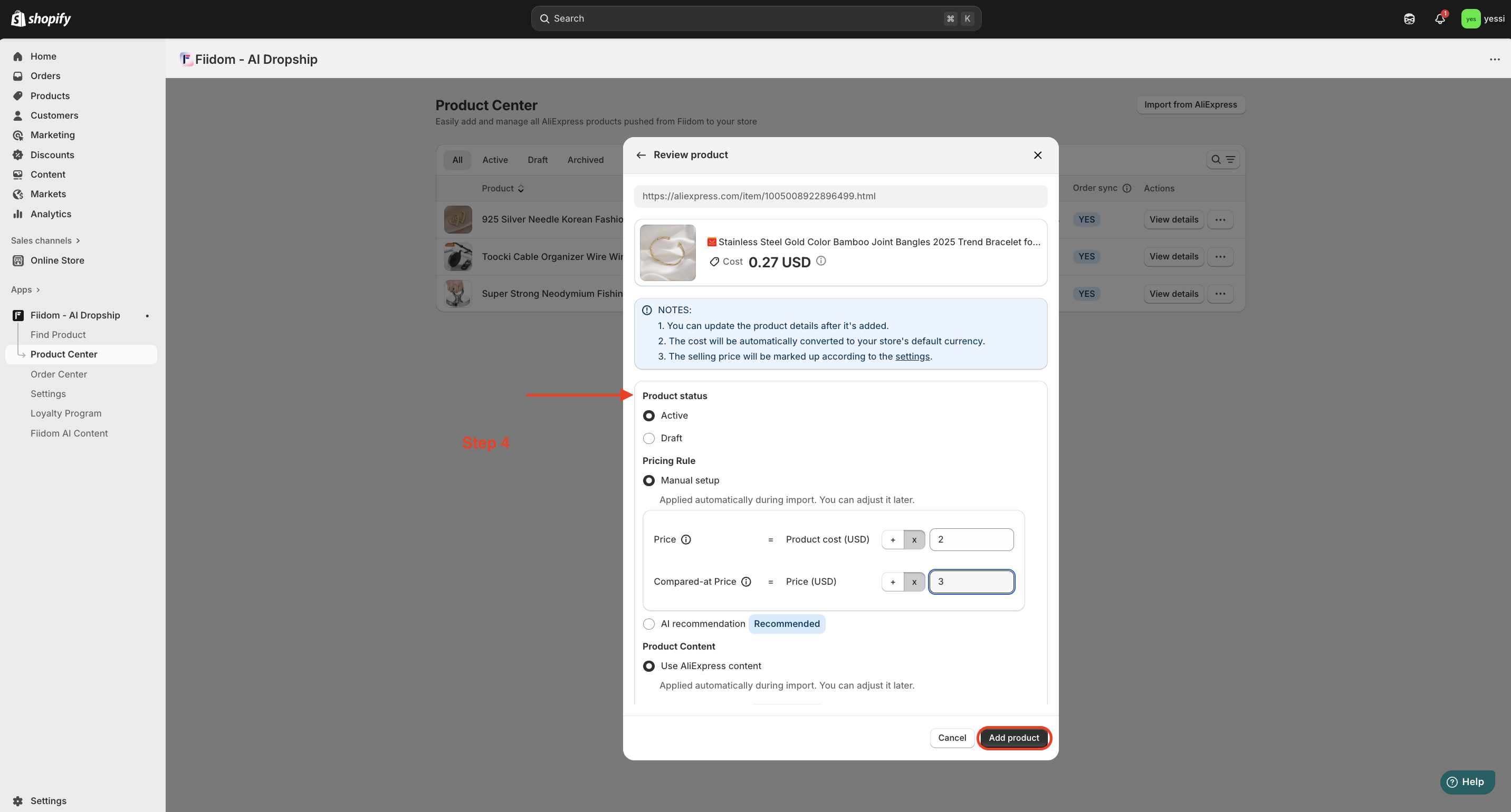
If successful, you will see the product appear in the Product Center.
Quick note: You can currently import one link at a time. Bulk import will be added in a future update.
Should you need any further information, please do not hesitate to contact us directly at [email protected]